Certified Microsoft Dynamics 365 Partner - Est. 1993 - Melbourne - Sydney

Open Banking API Integration

Integrate Open Banking API forAustralian Businesses

Open banking API integration helps companies make use of permitted banking data through compatible applications and services. DHRP guides businesses in understanding the possibilities for banking integration, such as creating statements in Microsoft Dynamics 365 Finance and automated bank feeds.

Get in Touch
Banking data and Microsoft Dynamics 365 Finance integration

Trusted By Government,
Non-Profit & ASX-Listed Companies

  • Wilson Group
  • Pepperstone
  • Pacific HVAC
  • IPH
  • NPS MedicineWise
  • Pacific Ventilation
  • Microsoft

Open Banking - DHRP

How To Leverage Open Banking API for Business?

Open Banking API integration is the process of APIs being used to request and share authorised financial data between software applications. The CDR is a framework applicable to access (and relevant consent and participation requirements) to designated consumer data in Australia.

Financial reporting, transaction analysis and accounting workflows are examples of applications that can utilise banking data access APIs. The information available depends on the bank, API provider, permissions and application. These are the factors that companies need to consider when choosing an integration for their financial systems.

Dynamics 365 Banking Connector financial workflows

Connect Australian Banks to D365 Finance

For businesses leveraging Microsoft Dynamics 365 Finance, the ability to easily access banking data and apply it to their business finance workflows could be a necessity. When the chosen solution enables automated data retrieval and processing, Dynamics 365 banking integration can help minimise manual handling of statements.

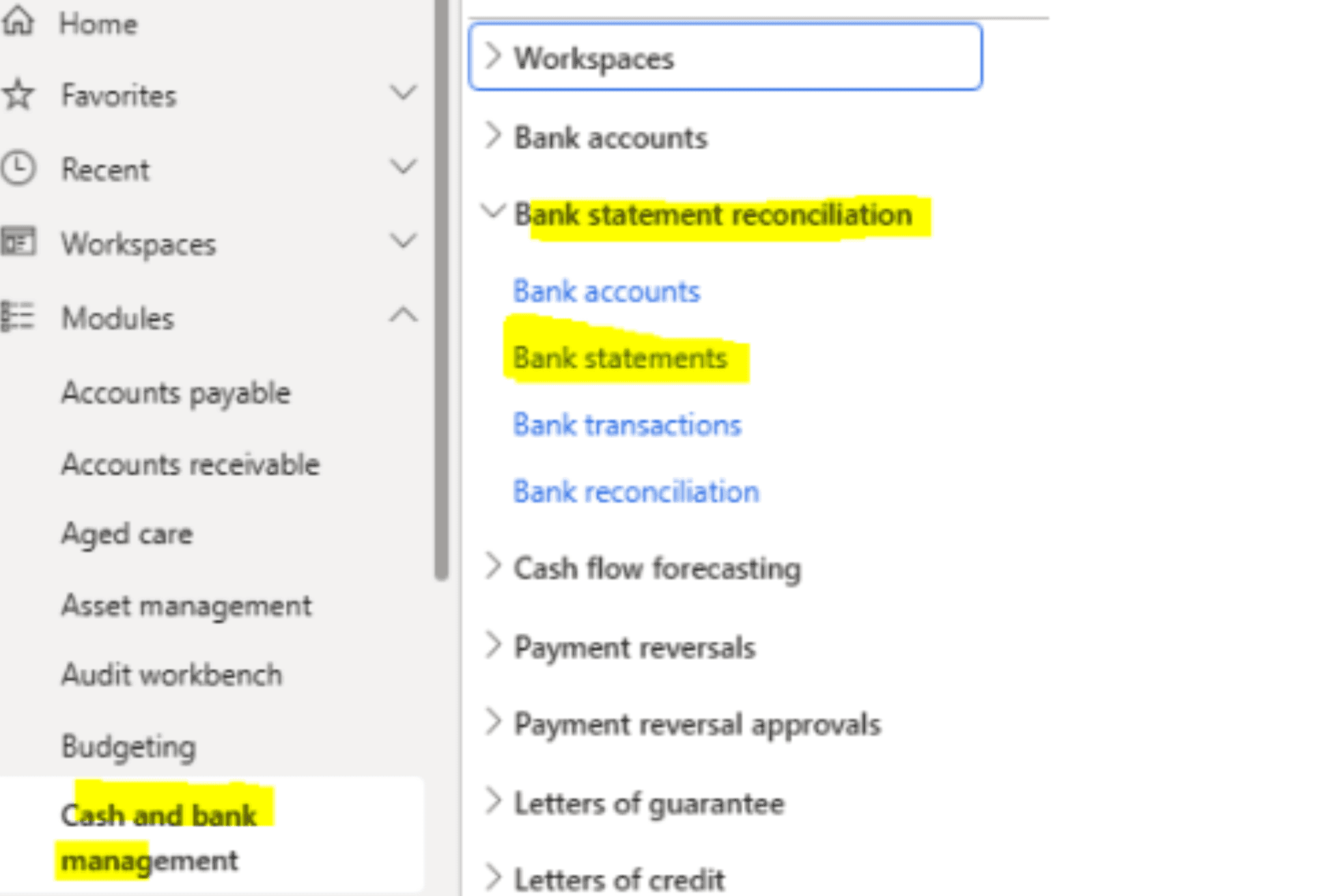
DHRP's current Dynamics 365 Banking Connector is designed to take care of bank feeds, creating bank statements inside Dynamics 365 Finance, and bank reconciliation. It has also been published for its functionality, which includes linking bank accounts and automating jobs to retrieve banking information and generate statements.

Depending on whether Australian banks are supported by the connector and its underlying supplier, Dynamics 365 can be connected to them. Before choosing a solution, confirm bank coverage, data availability, and update frequency with DHRP.

Explore the Dynamics 365 Banking Connector

Open Banking - DHRP

The Application of Automated Banking Data Integration

The proper integration can help streamline banking data handling and facilitate streamlined financial processes. Results will vary by system configuration, availability of data and functions offered by the selected solution.

Secure Banking API Data Feeds

Controlled data feeds from the secure banking API can be used to obtain the financial data that has been authorised. The provider's security measures, access and data handling practices should be evaluated before implementation.

Automated Bank Feeds for Dynamics 365 Finance

When supported by the connector selected, automated bank feeds for Dynamics 365 Finance can help minimise the need for manually downloaded statements. DHRP's current Banking Connector features a seamless bank feed and bank statement generation.

Bank Statement Automation with Dynamics 365

The automation of bank statements in Dynamics 365 may ease the manual workload of creating bank statements for finance processes. The specific workflow will vary depending on the connector, configuration and bank data present.

Multi-Bank Connectivity for Businesses

Businesses can benefit from multi-bank connectivity, which allows finance teams to control the banking details from different institutions they support via compatible apps. Check bank coverage and whether the data and functions are available on each account.

Open Banking - DHRP

How Does Australian Bank Connectivity Work?

Banking integration and authorised data access

Australian bank connectivity enables a compatible application to retrieve banking information that the financial institution supports. The integration process can vary based on the provider, the data to be integrated, and the systems that will import the data.

Identify Your Banking Needs

Identify the banks that your business interacts with, what information is necessary and which app requires access. This contributes to setting up the technical and functional specifications for the integration.

Choose an API Provider That Fits Your Requirements

Look for providers that have the institutions you want, provide banking information, and are compatible with your system, as well as having security measures and relevant regulations in place. Verify if they accept the banks and data types your business requires.

Create the Authorised Data Access

Fill in the necessary authentication and authorisation procedures. If the Consumer Data Right applies, the sharing of data must be done in compliance with consent and access.

Transfer Data to Business Applications

The integration fetches allowed data and provides it to compatible applications. The data format, updates and functions available are dependent on the API and integration design.

Use Banking Data in Financial Workflows

Banking information can be used to assist with transaction imports, financial reporting and reconciliation, if the integration provides those functions, once it gets into the receiving system.

DHRP Services

How to Evaluate the Costs of Open Banking API Platforms in Australia?

An open banking API platform in Australia must be measured against banking requirements along with software surroundings and data access requirements. It will depend on your requirements and the ERP system you're using, as well as the access you require to designated CDR data or wider integration across the financial applications.

Before you pick a provider, think about the following:

  • Bank coverage:

    See if the Australian banks and types of accounts are covered.

  • Available data:

    Check if any information on the accounts, balances and history of transactions is available.

  • ERP compatibility:

    Determine if the integration will work with your financial system and necessary workflows.

  • Update frequency:

    Review data update frequencies and ensure that the time is appropriate for your business.

  • Permissions & security:

    Audit authentication, consent control, data protection and related regulations.

  • Support & maintenance:

    Know what happens when you change the API, when there is an error in the connection, or when there is an integration issue.

An ERP Open Banking connector must address your operational and technical needs. Don't presume that all providers provide access to all banks, data types or CDR arrangements.

DHRP Services

Integrate Open Banking API with ERP Systems.

The speed of real-time banking data integration to ERP systems could allow companies to get financial information earlier; however, true update regularity will rely on the bank, API service provider and integration. Some solutions do not update data continuously, but rather at a scheduled time; check timing before you say that a service is real-time.

Where available, an ERP Open Banking connector can include accounting and transaction imports/bank reconciliation. If your business uses Dynamics 365 Finance, evaluate the integration based on existing banking workflows, statement needs, and supported financial institutions.

Another key consideration for businesses seeking data integration services through the CDR API is whether the provider complies with Australia's Consumer Data Right regulation and the data-sharing agreements. Connectivity to the general banking API should not be viewed as a guarantee that an integration is CDR-enabled.

FAQs

Banking API Integration Questions

Find answers about banking data access, Dynamics 365 integration and the requirements to consider.

Get in Touch

Open banking API integration lets compatible applications access financial data authorised by them in the form of APIs. Information and functionality will be available based on the bank, provider and permissions. In Australia, CDR requirements apply to services that include data sharing that falls under the scope of the CDR framework.

Banking integrations can import bank data supported by the integration into Dynamics 365 Finance. DHRP already has a Banking Connector that is for both bank feeds and bank statement creation. Before using it for a specific integration, ensure that it supports the Australian banks and account types that you need.

Banking data access APIs enable applications to make requests for the information that is approved, such as account details, balances, transaction history, etc. The information may be useful for accounting, financial reporting and reconciliation as per integration. The data provided is dependent on the provider and access rights.

Banking integrations can automate bank data retrieval if the banking solution selected supports the bank and workflow. DHRP's Banking Connector has been developed to simplify and automate the bank feeds and statement generation in D365 Finance. Verify banks supported, configuration requirements and update frequency with DHRP.

CDR API data integration services are services that make it possible to integrate applications with data sharing, which is part of Australia's Consumer Right framework. Requirements vary based on the organisations involved, type of data and type of service. Ensure the provider has the appropriate eligibility or accreditation and compliance requirements before implementation.

Get in Touch with us Today!

We'd love to hear from you. Please fill out this form.

Security Check4 + 5 = ?